Your First CRUD API
Build your first REST API with Create, Read, Update, and Delete operations. Learn the fundamentals of GEMVC 4-layer architecture step by step.
What You'll Learn
API Service Layer
Create URL endpoints and validate requests
Controller Layer
Orchestrate business logic
Model & Table Layers
Handle data logic and database operations
Understanding the 4-Layer Architecture
GEMVC uses a clean 4-layer architecture pattern. Each layer has a specific responsibility.
All request after reaching Webserver will be handled by Bootstrap, and it will perform following steps:
- 1. Sanitize all headers
- 2. Sanitize all request data
- 3. Extract all files, cookies, auth headers
- 4. Create unified Request object
- 5. Route the request to API Service Layer
- 6. Inject Request Object to API Service Layer
and requests flow from top to bottom:
Follow the guides below to learn how to create each layer and build a complete CRUD API.
CLI Commands
Create Full CRUD for a Service
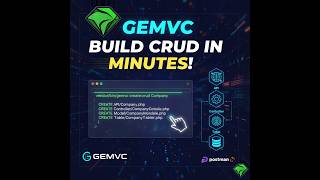
This command will create all 4 layers of the CRUD API. Api , Controller , Model and Table from given ServiceName.
php vendor/bin/gemvc create:crud ServiceName
Example: php vendor/bin/gemvc create:crud Company
this command will create following files in case of our example Company service:
app/api/Company.phpapp/controller/CompanyController.phpapp/model/CompanyModel.phpapp/table/CompanyTable.php
Migrate Table Layer Class to Database
This command will migrate the Table layer class to the database.
php vendor/bin/gemvc db:migrate TableClassName
Example: php vendor/bin/gemvc db:migrate CompanyTable
Check created Table in Database
You can check the Schema of the created table in the database using the following command:
Note: tableName is the string name which define in getTable() method in Table layer class.
php vendor/bin/gemvc db:describe tableName
Example: php vendor/bin/gemvc db:describe companies
Request Flow Example
Here's how a request flows through all 4 layers:
Tip: Visit localhost/api/index/document to see the auto-generated API documentation. and click on export to postman to get the postman collection for testing your API.
🚀 Ready to Build Your First API?
Start with the API Service layer and work your way down through Controller, Model, and Table. Follow each guide to build a complete CRUD API!